Product
The cloakroom and the extras, sold with the ticket.
An add-on is something the guest buys on top of a ticket: a cloakroom, a welcome drink or a way past the queue. The guest buys it with the ticket, later from the ticket's page or at the door, and it sits on the ticket's QR. The cloakroom is the first add-on, and it is digital all the way from the hanger to the hand-out.
What you get
- One QR for everything
- A lost tag is not a lost coat
- The evidence, if something goes missing
- Forgotten clothes
How it works
Three steps
Put the add-on on the night
Name, price and how many can be bought per ticket at most, on all your events or only some of them. The cloakroom can have a cap on how many hangers there are.
The guest buys it when it suits
With the ticket, later from the ticket's page and the email, or at the door, where the guest pays on their own phone or the staff mark it paid in cash.
The cloakroom scans the same QR
The staff scan the ticket, type the hanger number and take a photo of the coat. At hand-out the same QR is scanned again, or the number is looked up.
The cloakroom
Natklubben
TKT-4M8P-3RJH
2 paid · 0 handed in
2 can still be handed in
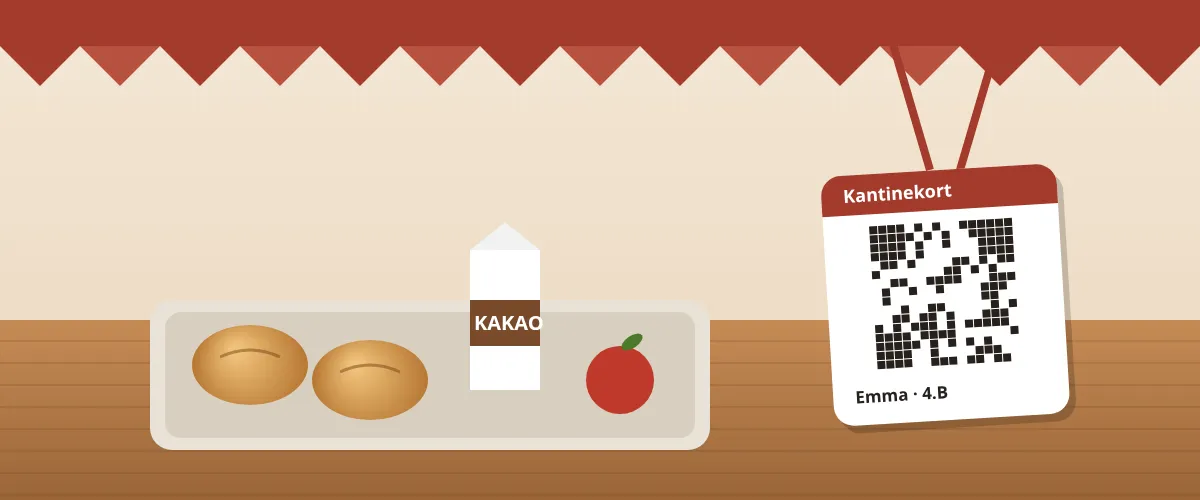
The ticket the guest shows at the door is also the cloakroom tag. Pick a moment from the night.
Pick a moment
The guest bought two cloakroom spots with the ticket. The scanner reads the same QR as the door and shows what the ticket has paid for.
Details
What to know
- One QR for everything
- The add-on sits on the ticket, so the same code lets the guest in and collects the coat. If the guest passes the ticket on, the cloakroom goes with it, and if the ticket is refunded, the unused add-on lapses.
- A lost tag is not a lost coat
- If the guest has lost the tag, the staff find the coat by name, check the photo and hand it over. It is recorded as handed out without a tag, with who did it and when.
- The evidence, if something goes missing
- Under Danish law a paid cloakroom is safekeeping, and the venue must be able to show what happened. Every hand-in and hand-out stores who, when, the hanger and the photo.
- Forgotten clothes
- If something is left behind, the guest gets an email about it with the cloakroom number. Clothes not collected within 30 days are marked for the police as lost property.
- A guest without a ticket
- A guest without a ticket can still hang up a coat. It is registered on its own, paid at the counter and gets its own receipt on the phone.
- The fee
- An add-on bought through Kuvert costs 2 % + VAT in service fee, like the ticket, and no handling fee. If the guest pays cash at the door, nothing goes through us.
Questions
Frequently asked questions
Can anything other than a cloakroom be sold?
Yes. The cloakroom is the ready-made first add-on, but an add-on can be anything the guest buys on top of a ticket, such as a welcome drink or a place at the front of the queue. It is sold and shown on the ticket in the same way.
Do the staff need a special scanner?
No. The cloakroom is a mode in the same scanner used at the door, on the phone or tablet you already have.
What does the guest see?
The cloakroom number, when the clothes were hung up and the photo are on the ticket's page on the guest's phone. They are in the email too, so the clothes can be collected even if the tag is gone.
What if the cloakroom is full?
If you set a cap on the hangers, Kuvert counts every cloakroom bought for that night, and once they are sold, no more can be bought.
Good for
In the docs
Other features
All products- Gift cardsAn amount, a greeting and a code
- Punch cardTen punches on one card, not an amount
- Corporate giftsThe company buys for the whole list
- TicketsNights, tiered prices and the door
- Table bookingThe restaurant's tables and the club's booths
- CampaignsA bonus for a period, or a code
- On your websiteThe purchase opens in an overlay on your site
- Payments and payoutsMobilePay, and the money to the bank
- Redemption and scannerScan the code, or enter it
- The Kuvert appOn the home screen, no App Store
- AccountsFigures your accountant can reconcile
- Till and orderingMenu, till and ordering ahead
- Payment linksA link by email for a phone order
- WebsiteWith the shop built in
Try it on your own site.
Create the shop, connect Stripe and add your products. No monthly fee on sales and no lock-in.
Would you rather have help, or do you need a website? See how we help