Digital gift cards, punch cards, tickets and table booking
Gift cards with your name.
Kuvert is a sales platform for Danish businesses. Sell gift cards, punch cards and tickets from your own page in your own design, and take table bookings for the restaurant's tables or the club's booths. The customer pays with MobilePay, card, Apple Pay or Google Pay, and the money is on your own Stripe account straight away.
2 % + VAT per sale · no lock-in · no monthly fee for gift cards and tickets
Payment
See the product
DKK 600.00
DKK 500.00 + DKK 100.00 extra
Code
KUV-8QF2-2K9D
Valid until 15 January 2029
The customer pays DKK 500.00, and the card is worth DKK 600.00, because you add DKK 100.00 on top as balance the customer spends with you. See all options
Gift card value: DKK 600.00. You pay: DKK 500.00.
Punch card
Café Noir
DKK 100.00 per punch
7 of 10 punches left
- The customer paid
- DKK 900.00
- The card is worth
- DKK 1,000.00
- The customer saves
- DKK 100.00
KUV-3H8T-6PZNValid until 15 January 2029
Vinsmagning
22 of 37 checked in
3 places left
Ticket
TKT-4M8P-3RJH
Show this code at the entrance.
Valid ticket, ready for «Check in»
Book a table at Café Noir
Friday 16 January · Evening
How many are you?
What time?
Ends up in Apple Wallet or Google Wallet on the customer's phone
How it works
From sign-up to first sale
Three steps. Most of the time goes to Stripe's verification, not Kuvert.
- 01
Set up your shop
Create the shop, add your logo and your colours, and choose what you want to sell. If you have gift cards in another system, you bring them along in a CSV file. It typically takes half an hour, mostly for Stripe's identity verification.
- 02
The customer buys
On your own page, in your own design: the customer chooses and pays with MobilePay, card, Apple Pay or Google Pay. What was bought is with the recipient seconds later and can be added to the phone's wallet with one tap.
- 03
You redeem
Gift cards and punch cards you draw down in the dashboard, in full or in part, and the balance updates straight away. Tickets and tables you scan at the door, and the same ticket only lets people in once.
Read more about digital gift cards, digital punch cards and tickets.
Over the counter
The same amount all the way
Set one amount on the phone, and see it land on the card and on the receipt in the same second: what the customer pays, what you add, and what the gift card is worth. Then scan the card's QR code, and the balance shows in the terminal. These are the same rules the shop uses, not a drawing of them.
Just nowTry a different amount on the phone. The card, the receipt and the terminal adjust to it.
The phone
- 1Choose
- 2Personalize
- 3Delivery
- 4Payment
Step 1 of 4
Gift card value: DKK 360.00. You pay: DKK 305.00.
The four steps the customer goes through, with the same validation the shop runs. All features
The card
DKK 360.00
DKK 300.00 + DKK 60.00 extra
Code
KUV-7K9F-2XQD
Valid until 15 January 2029
Send to myself · Café Noir
The value, the code and the delivery appear on the card in the same second the amount changes. Scheduled delivery
The receipt
Café Noir
KUV-7K9F-2XQD
- Subtotal
- DKK 300.00
- Handling fee
- DKK 5.00
- You pay
- DKK 305.00
- Extra value
- DKK 60.00
- Gift card value
- DKK 360.00
- Kuvert 2 % + VAT
- DKK 7.50
You fund the bonus yourself, in goods. Kuvert's 2 % + VAT is taken from what the customer pays, never from the bonus, and the customer does not see it. The handling fee is Kuvert's and sits on top of the card's amount.
What the customer pays, what you add, what the card is worth and our fee. Pricing
The scanner
Ready. Press Scan to read the code in the camera.
The same code is not scanned twice within 2.5 seconds.
Scan the card's QR code with the phone you already have. The balance shows in the terminal. Redemption
Same code all the way round.
The QR code on the card above is real: it points to the card's own page, and the scanner reads it with exactly the function your till runs. Sold, delivered and redeemed, and none of it is staged.
In your pocket
The card sits in the phone.
The customer taps once on the card's page and has the gift card or ticket in Apple Wallet or Google Wallet. Then the code is ready at the counter without anyone having to search for an email. When you deduct an amount, the new balance appears on the phone shortly after.
Café Noir
Balance
DKK 600.00
Gift card
Code
KUV-8QF2-2K9D
Valid until 15 January 2029


That is how the buttons look on the card's and ticket's own page. The recipient need not download an app or create an account.
Table booking
Only the times when there is a table.
Restaurants and cafés take table bookings in the same shop that sells the gift cards. The guest chooses a day, party size and time, and the page only shows the times when there actually is a table for them. Choose a party size, and watch the evening change. A nightclub instead sells the night's tables on the club's own map.
From DKK 0 a month and free for up to 25 bookings. The waiting list, reminders, guest book and a plan of the room are in every plan. Nightclubs' table packages have no plan.
The booking page, as the guest sees it
Friday 16 January · Evening
How many are you?
What time?
- 17:30–19:30
- 18:00–20:00
- 18:30–20:30
- 19:00–21:00
- 19:30–21:30
- 20:00–22:00
- 20:30–22:30
7 of 7 times have a table for 2 people.
A made-up Friday with 5 tables, 4 of which are already booked. The times are worked out by the same rules as on the real booking page.
Built for
Same shop, different counters. Each industry has its own page with situations, amounts and questions.
See it in use
Seven shops you can open now
Six fictional businesses with real Kuvert shops behind them. Their website, our button. The shops are in test mode, so you can click around without a single krone being charged.

Hotel
Strandhotellet
Accommodation on the west coast
Accommodation at fixed prices, a running campaign, and the gift card in five languages.

Restaurant
Spisehuset
Nordic cuisine, four courses
Table booking with a waiting list and a Christmas Eve deposit, and tickets for the New Year's menu in the same shop.

Café
Kaffebaren
Roasted on Jagtvej since 2014
No purchase button on their own site. Kuvert places the floating button in the corner itself.

Spa
Badehuset
Sauna, bathing and stillness
A campaign that adds 20 % on top, and the shop unfolded in the middle of their own site.

Experiences
Fjordtur
Kayak, coastal walks and bonfires
A kayak tour with five ticket prices. One is sold out, and one only opens two days before departure.

Nightclub
Natklubben
Friday and Saturday, until it gets light
A nightclub open every Friday and Saturday: guest list and entry, tables with table packages picked on a map, special nights with tickets in tiers and a waiting list on the night that has sold out.
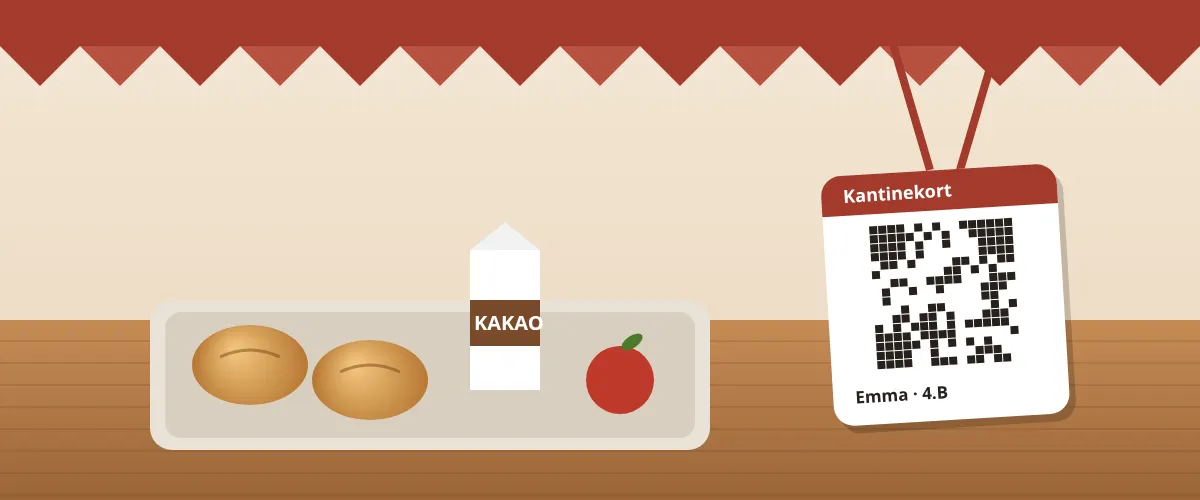
Canteen
Skolekantinen
Lunch at two schools and the town hall
Two school canteens and a town hall. Parents put money on their child's canteen card, the town hall staff have their own, people pay with a printed QR code or a phone, and lunch can be ordered the day before.
The businesses are fictional, as are the prices, addresses and opening hours on their pages. The shop behind them is the same one a customer gets.
Pricing
Simple prices, no surprises
2 % + VAT
of each sale on your page
Plus DKK 5.00 in handling fee per gift card and ticket, which by default the buyer pays on top of the price.
No monthly fee for gift cards and tickets, no set-up cost and no lock-in. Table booking for restaurants is an add-on with its own price, free for up to 25 bookings a month, and nightclubs' table packages have no plan. Stripe's own transaction fees are settled separately on your Stripe account.
Included in the price
- Your own shop in your own design
- Unlimited number of gift cards and products
- MobilePay, card, Apple Pay and Google Pay
- The card in Apple Wallet and Google Wallet
- Punch cards, corporate gifts, campaigns and tickets
- Dashboard for all staff
- Webhooks, API keys and five languages
- Table booking as an add-on, free for up to 25 bookings a month and with no plan for nightclubs
Safety
Built to Danish law
Gift cards are regulated. It is cheaper to get it right from the start than to fix it later.
36 months' validity
All gift cards are issued with at least 36 months' validity. That matches the three years the law assumes when nothing else has been agreed. You can set it longer, but never shorter.
Right of redemption built in
The customer has the right to have a remaining balance paid out in cash, up to and including a year after expiry. Kuvert posts it separately, and after the expiry date the till cannot charge a fee for it, because the law does not allow it.
Money goes straight to you
The payment lands in your own Stripe account. Kuvert only takes its fee from the individual sale and never holds your money.
Five languages
Your shop can meet the customer in Danish, English, Norwegian, Swedish or German. All five are included at no extra cost.
Questions
Frequently asked questions
What does Kuvert cost?
Two fees per sale in your shop. The service fee is 2 % + VAT of each sale, and gift cards and tickets have the same rate. You deduct the VAT as input VAT, so the real cost is 2 %. The handling fee is DKK 5.00 incl. VAT per gift card and per ticket of DKK 25.00 or more, and the buyer pays it on top of the price unless you choose to pay it yourself. Cards you issue yourself from the dashboard are free. There is no monthly fee on sales, no set-up cost and no lock-in, and Stripe's own transaction fees are settled separately on your Stripe account. Table booking for restaurants is an add-on with its own price, free for up to 25 bookings a month; nightclubs' table packages cost the fee per package sold and have no plan.
When do I get my money?
The payment is on your own Stripe account straight away, and Kuvert only deducts its fees from the individual sale. We never hold your money. The money goes to the bank according to the payout schedule you choose: every day, every week or every month. If you choose «I'll pay out myself», it stays put until you press «Pay out now». Stripe releases the money from a sale a few days after the payment.
Do you support MobilePay?
Yes. Customers can pay with MobilePay or card. MobilePay has to be switched on for your Stripe account. We set that up with you when you create the shop.
Can customers pay with Apple Pay or Google Pay?
Yes, on the phones and browsers that support it. The purchase is completed on Stripe's payment page with MobilePay or card, and Apple Pay and Google Pay appear above the card payment on an iPhone or a Mac with Safari and in Chrome with a saved card. There is nothing you need to switch on.
Can the customer put the gift card in Apple Wallet or Google Wallet?
Yes, both. On the card's and the ticket's own page there is a button for each, and one tap puts the card in the phone with exactly the QR code you scan at the counter. There is no app to download and no account to create. When you deduct an amount, we update the saved card, so the customer is not walking round with a balance that was right the day before yesterday.
How long is a gift card valid?
At least 36 months. That is Kuvert's own minimum and matches the three years the law assumes when nothing else has been agreed. You can choose a longer validity for your products, but never a shorter one.
Do I need a Stripe account?
Yes. When you create the shop, you connect an existing Stripe account or create a new one as you go. Stripe handles identity verification and sends the money to your bank.
Can companies buy gift cards for their employees?
Yes. A company buys the corporate gifts itself in your shop: they paste in the list of names and email addresses, pay once, and each employee gets their own card. The company name and CVR are on the receipt, and a gift card can be set to «Companies only» and «cannot be exchanged for cash». If the company would rather pay by invoice, you issue the cards yourself from the dashboard. That is free, and the cards are kept separate from ordinary purchases in the accounts.
What happens to gift cards that are never used?
They are recorded as outstanding liabilities in your accounts until both the validity period and the subsequent cash-out period have expired. Only then is the remaining balance recorded as income, so you never record revenue that the customer can still claim.
Who is Kuvert for?
Restaurants, cafés, hotels, spas and wellness, hairdressers, yoga and fitness studios, nightclubs, music venues, experience venues and anyone else who sells something you can give away, a punch card for regulars or an evening with a set number of seats. Restaurants and cafés take table bookings on their own page, nightclubs sell tables and table packages for the night, and canteens at schools and workplaces give children, employees and teachers a canteen card that is topped up with MobilePay or at the till.
What is Kuvert?
Kuvert is a sales platform for Danish businesses, made in Vejle. The business sells digital gift cards, punch cards and tickets from its own page and takes table bookings for the restaurant's tables or the club's booths. The customer pays with MobilePay, card, Apple Pay or Google Pay, and the money goes straight into the business's own Stripe account.
Your shop can be ready in half an hour.
Create the shop, connect Stripe and add your products. No monthly fee on sales and no lock-in.